Articles
25 July 2019
Limiting the speed of free internet access for wifi hotspots on Mikrotik
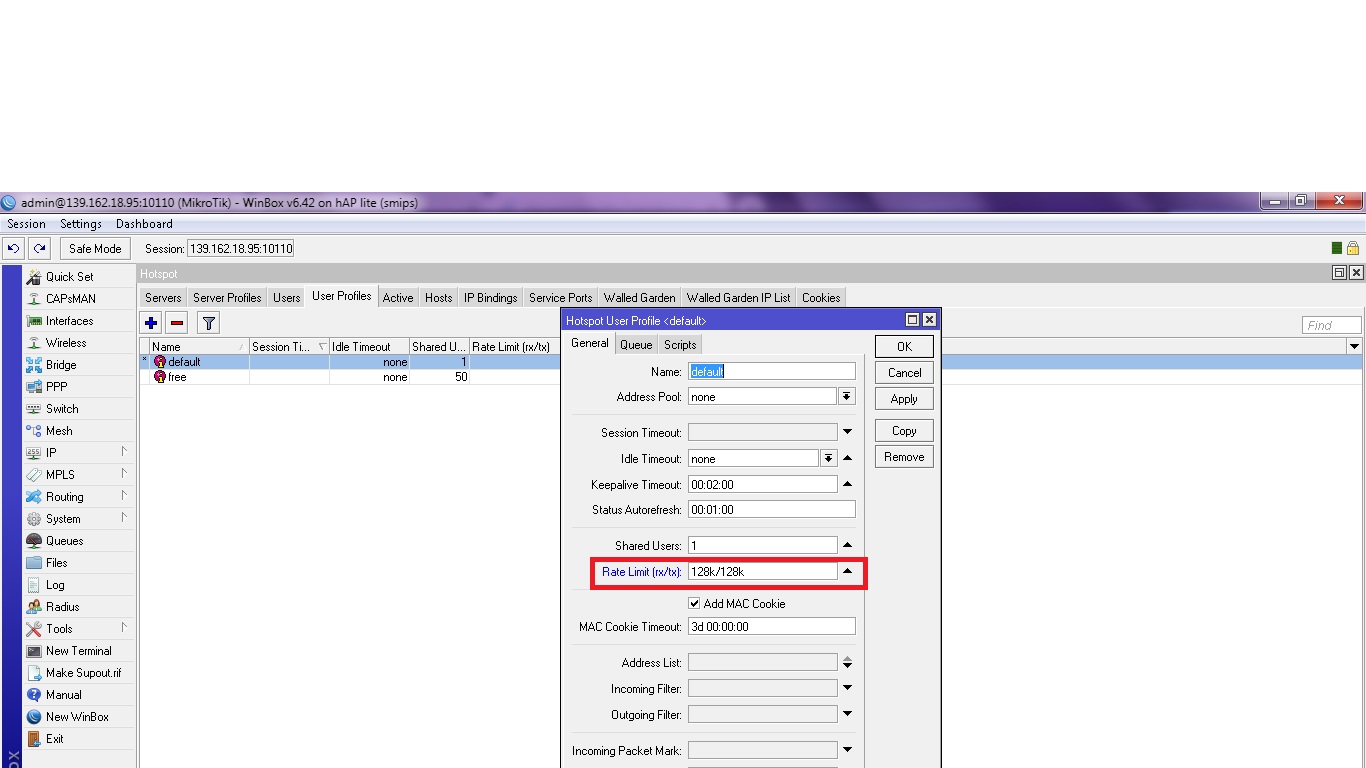
You can limit the speed of free internet access via a WiFi hotspot on Mikrotik.
Here are the steps to limit the speed of free internet access via a WiFi hotspot on Mikrotik.
- Open Winbox
- Go to IP > HOTSPOT
- Enter the User Profile menu
- Double-click on the Default Name
- On the General tab, enter the speed of free internet access via the WiFi hotspot in the rate limit section.
- Click Apply
You have now limited the speed of free internet access via the WiFi hotspot on Mikrotik to suit your needs.