Articles
10 June 2026
WireGuard Remote Access
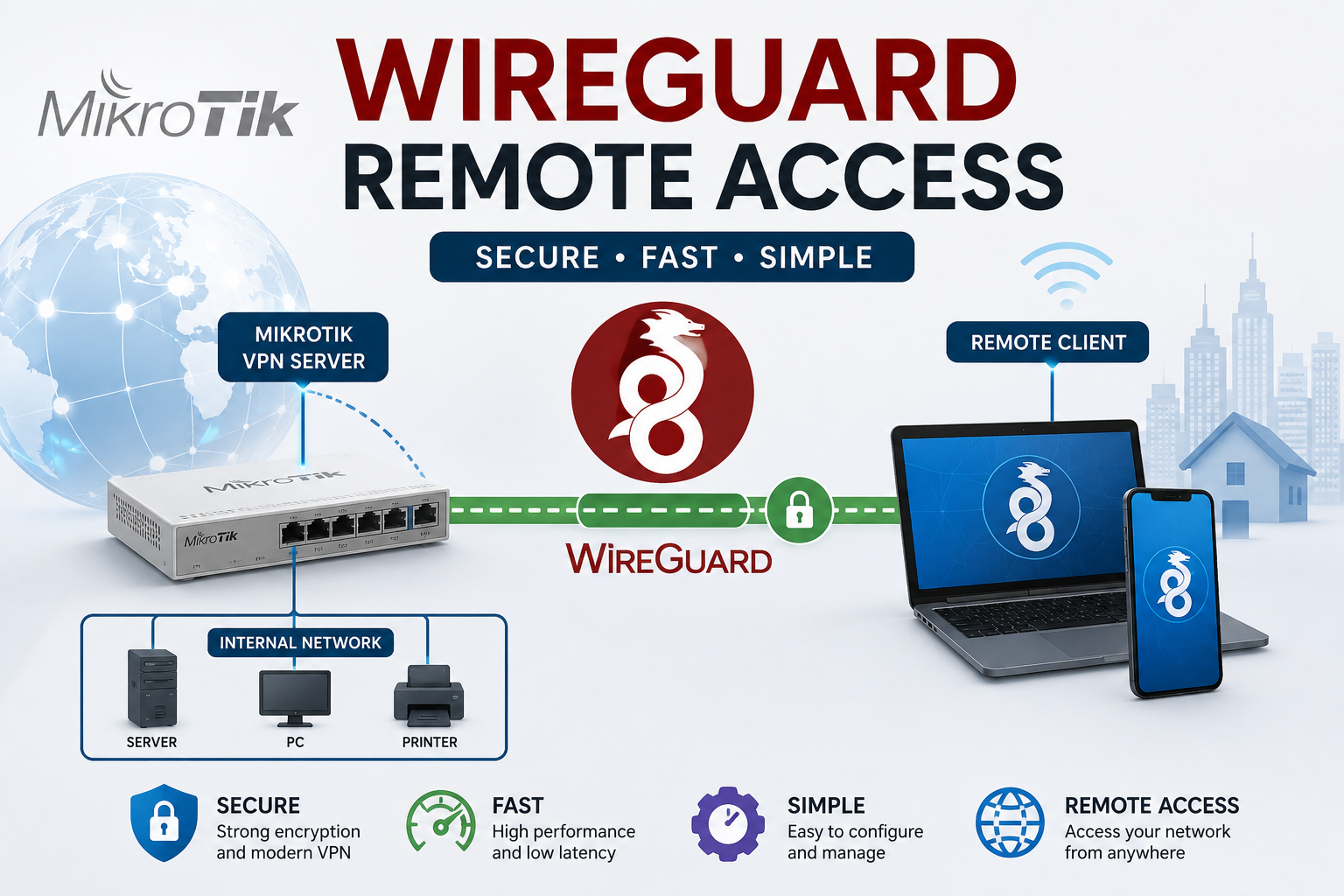
WireGuard Remote Access is a modern VPN solution that allows users to securely access office, home, or data center networks from anywhere. Available in MikroTik RouterOS v7, WireGuard offers a simpler configuration and better performance compared to traditional VPN technologies such as IPsec and OpenVPN.
Topology
                Internet
                    |
            MikroTik Public IP
                    |
          +-------------------+
          |     MikroTik      |
          |  WireGuard VPN    |
          +---------+---------+
                    |
            LAN 192.168.1.0/24
                    |
          Internal Server / PC

Remote Client
(Laptop / Smartphone)
VPN IP: 10.10.10.2/24
Configuration Information
| Parameter | Value |
|---|---|
| WireGuard Interface | wg-remote |
| WireGuard Port | 13231 |
| VPN Network | 10.10.10.0/24 |
| MikroTik VPN IP | 10.10.10.1/24 |
| Client VPN IP | 10.10.10.2/32 |
| Internal LAN | 192.168.1.0/24 |
Step 1 - Create WireGuard Interface
/interface/wireguard
add name=wg-remote listen-port=13231
Display the generated Public Key:
/interface/wireguard/print detail
Step 2 - Assign IP Address
/ip/address
add address=10.10.10.1/24 interface=wg-remote
Step 3 - Add Client Peer
/interface/wireguard/peers
add interface=wg-remote \
public-key="CLIENT_PUBLIC_KEY" \
allowed-address=10.10.10.2/32
Step 4 - Allow WireGuard Port
/ip/firewall/filter
add chain=input action=accept protocol=udp dst-port=13231 \
comment="Allow WireGuard"
Step 5 - Allow Access to Internal LAN
/ip/firewall/filter
add chain=forward action=accept \
src-address=10.10.10.0/24 \
dst-address=192.168.1.0/24

add chain=forward action=accept \
src-address=192.168.1.0/24 \
dst-address=10.10.10.0/24
Step 6 - Configure WireGuard Client
[Interface]
PrivateKey = CLIENT_PRIVATE_KEY
Address = 10.10.10.2/24
DNS = 192.168.1.1

[Peer]
PublicKey = MIKROTIK_PUBLIC_KEY
Endpoint = PUBLIC_IP_MIKROTIK:13231
AllowedIPs = 192.168.1.0/24,10.10.10.0/24
PersistentKeepalive = 25
Connection Verification
Check WireGuard handshake status:
/interface/wireguard/peers/print detail
Expected output:
last-handshake: 5s
Troubleshooting
- Verify the public IP address is reachable from the internet.
- Ensure UDP port 13231 is open.
- Verify server and client public keys are correct.
- Check firewall and routing configurations.
Conclusion
WireGuard provides a fast, lightweight, and secure VPN solution for MikroTik RouterOS v7. With a simple configuration process, administrators can securely provide remote access to internal networks while maintaining excellent performance and reliability.