MikroTik Chateau LTE7 ax Tutorial (Wi-Fi 6 with LTE Cat7)
1. Modern MikroTik Device Architecture Concept (AX / LTE / WiFi 7)
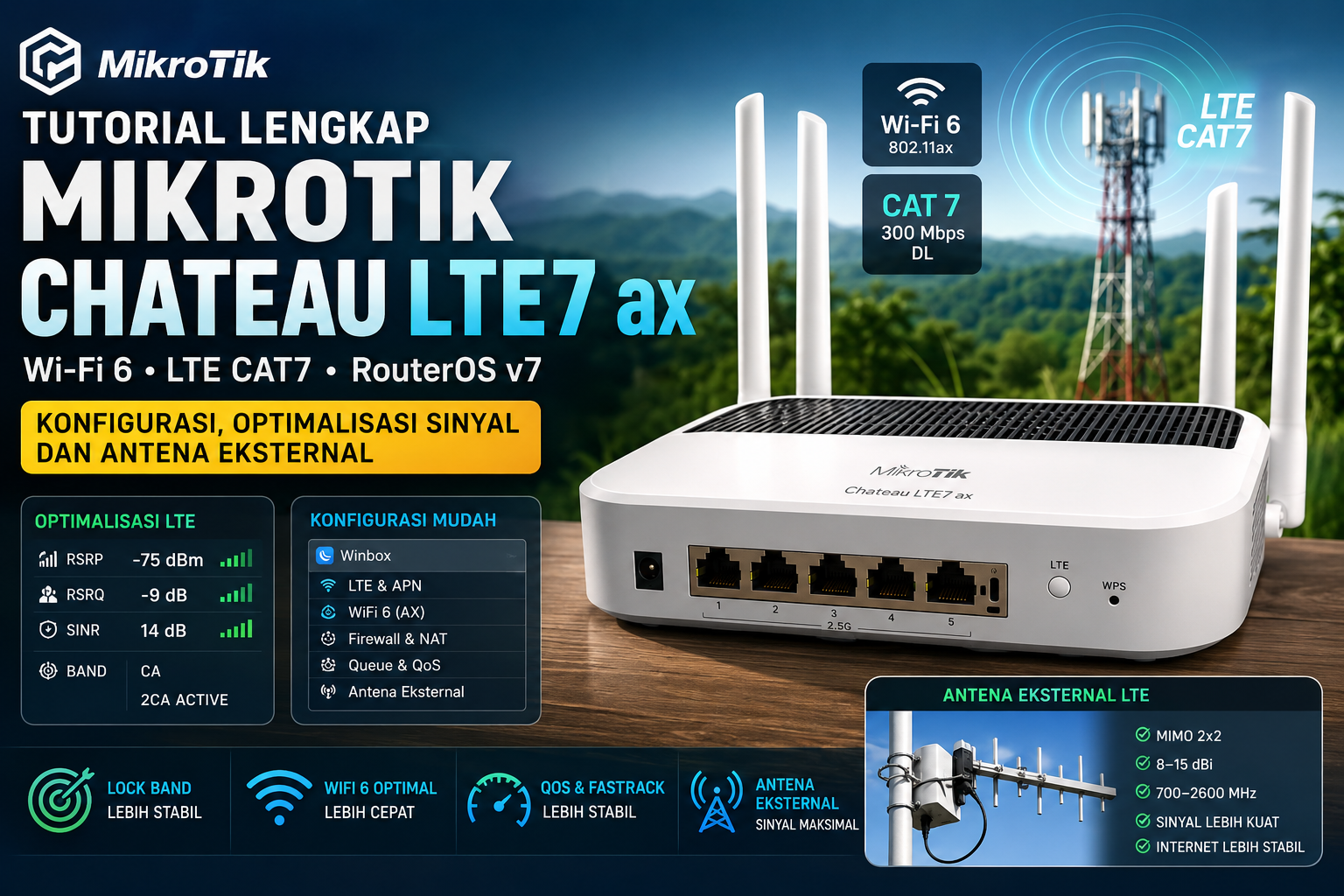
Example devices such as the MikroTik Chateau LTE7 ax combine 3 main systems:
- RouterOS v7 (routing + firewall + NAT)
- WiFi 6 (802.11ax / later WiFi 7)
- LTE modem Cat7 (R11e-LTE7)
👉 This means optimization must be separated into 3 layers:
- LTE (signal & bands)
- Routing (QoS & NAT)
- WiFi (channel & airtime)
2. Correct Initial Setup (required before tuning)
A. Firmware upgrade
In WinBox / WebFig:
System → Packages → Check Updates
Ensure:
- Latest stable RouterOS (v7.15+ recommended)
- LTE modem firmware is also updated
Why it matters?
- AX + LTE modems are very sensitive to firmware bugs
- Many packet loss cases come from outdated firmware
B. Basic LTE WAN configuration
Menu:
/interface lte apn
Set operator APN:
APN according to ISP (Telkomsel / XL / Indosat)
Example:
apn: internet
use-network-apn: yes
3. LTE Cat7 Optimization (most important part)
A. LTE band locking (stability)
Use:
/interface lte at-chat lte1 input="AT+QCFG="band""
Or via:
Interface LTE → Bands
Band strategy:
| Condition | Recommended Bands |
|---|---|
| Dense city | B3 + B1 |
| Suburban | B3 + B8 |
| Rural | B20 + B28 |
| Stability priority | single strongest RSRP band |
👉 Cat7 supports CA (Carrier Aggregation), but:
- CA is not always more stable
- Poor signal → better use single band
B. Ideal LTE signal targets
Use LTE Tools:
- RSRP: -70 to -90 dBm (good)
- RSRQ: > -10 (good)
- SINR: > 10 dB (stable)
C. Router placement tips
- Near a window (not ground floor)
- Avoid thick concrete walls
- Point toward the BTS (use NetMonster / LTE tools)
4. External LTE Antenna (correct usage)
A. Important: Chateau LTE7 ax already uses internal MIMO
But external antenna is only effective if:
- Indoor signal is poor (< -100 dBm)
- BTS is far away
- High noise (bad RSRQ)
B. Correct antenna type
Use:
- Directional MIMO LTE antenna (2x2)
- Gain 8–15 dBi
- Frequency support 700–2600 MHz
❌ Avoid:
- WiFi antennas used for LTE
- Cheap “all band” antennas with unclear specs
C. MikroTik external antenna setting
Some LTE modems:
/interface lte set lte1 external-antenna=both
or:
auto
internal
external
👉 If signal gets worse after installing antenna:
- It indicates mismatch (polarization / antenna quality)
5. WiFi 6 Optimization (AX tuning)
A. Use full AX mode
Interface settings:
Mode: AP
Band:
- 5 GHz → AX only (if all devices support it)
- 2.4 GHz → AX/AC/N mixed
B. Channel width optimization
| Band | Setting |
|---|---|
| 2.4 GHz | 20 MHz |
| 5 GHz | 80 MHz (best default) |
| WiFi 7 (future) | 160–320 MHz |
C. Channel selection
- 5 GHz → use DFS channels if crowded
- Avoid auto if interference is frequent
D. Security (important for AX performance)
- WPA2/WPA3 mixed
- Disable legacy TKIP
6. CPU & Routing Optimization (RouterOS v7 important)
A. Enable FastTrack
/ip firewall filter
Ensure rule:
fasttrack connection
This improves:
- LTE throughput
- Gaming latency
B. DNS cache
Use:
- 1.1.1.1
- 8.8.8.8
Enable:
allow-remote-requests=yes
7. Simple QoS (for LTE stability)
If LTE is unstable or laggy:
Use Simple Queue:
- Limit upload slightly below real speed (90%)
Example:
100 Mbps LTE → set 90 Mbps
👉 This prevents bufferbloat
8. Common Troubleshooting (Chateau LTE7 ax)
Problem 1: Internet keeps disconnecting
- Check low SINR
- Change LTE band
- Update modem firmware
Problem 2: WiFi slow but LTE fast
- Channel interference
- 2.4 GHz congestion
- Use 5 GHz AX
Problem 3: LTE packet loss
- Overloaded BTS
- CA active but weak signal
- Antenna mismatch
9. Future MikroTik WiFi 7 Devices (concept)
Same principles, differences:
- WiFi 7 → 320 MHz channels
- Multi-Link Operation (MLO)
- More sensitive to interference
👉 Still requires:
- Clean channels
- DFS usage
- Avoid full auto channel
Quick Conclusion
For MikroTik Chateau LTE7 ax:
- LTE = most important (band + signal + antenna)
- WiFi = second (channel & width)
- Routing = stability (FastTrack + DNS + queue)